Suppliers: the register linked to the stack
The Suppliers page (navigation, Inventory section, next to Stack, URLs and End of life) lists the organisation’s suppliers and service providers, their criticality, contractual commitments and assessments. It shows when the organisation follows a framework (NIS2 today), or for those who can turn one on.
A supplier is linked to the stack through the vendor of its components (a “vendor” item, the vendor column, or the CPE vendor): its record then shows its tracked products, the projects using them, its open and exploited CVEs and its end-of-life components. Stack vendors join the register on their own, to be qualified. The other way round, on the Stack page, the supplier’s name appears under the type of every component whose vendor is in the register: a click opens its record.
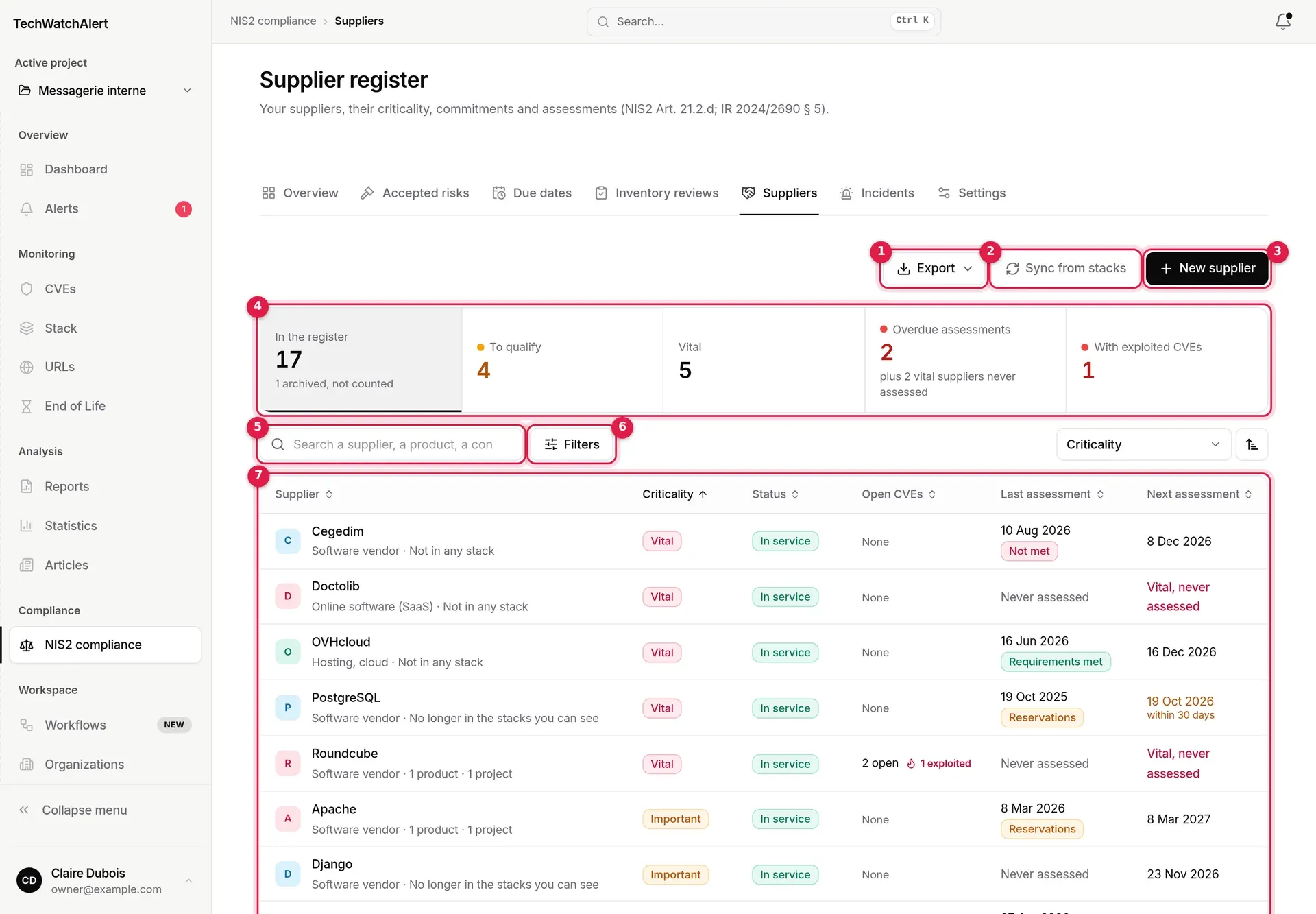
- Export: CSV or PDF register.
- Sync from stacks: adds, to be qualified, the vendors of every project’s stack that are not yet in the register; existing entries are never changed.
- New supplier.
- Register figures, which also act as filters.
- Search: a supplier, a product, a contact.
- Filters: status, criticality, category, assessment.
- The list, sortable by column.

The figures filter the list: To qualify, Vital, Overdue assessments (overdue assessment, or vital supplier never assessed), With exploited CVEs (sorted by that number); In the register returns to the full view.
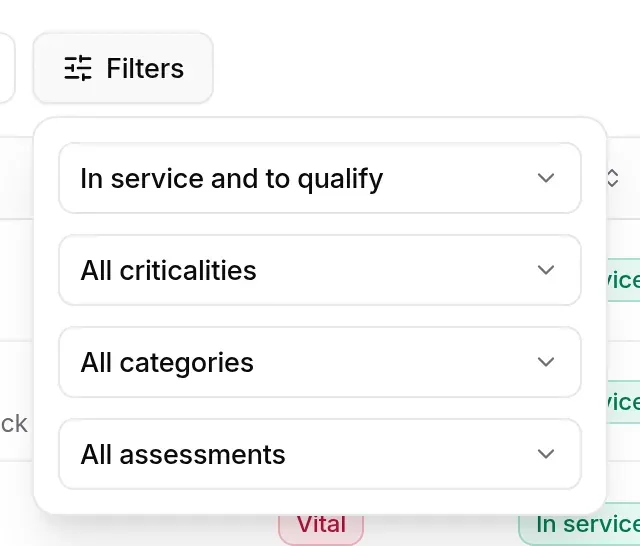
- Status: “In service and to qualify” by default, or To qualify, In service, Archived, “All, archived included”.
- Criticality, Category (software vendor, online software (SaaS), hosting/cloud, managed services, hardware, telecoms, consulting, other).
- Assessment: Assessment due, Overdue, Due within 30 days, Up to date, No date set, Never assessed.
On the right, the sort list (criticality, name, exploited CVEs, open CVEs, tracked products, projects, next and last assessment, status) and the ascending/descending button.

Each row shows: the supplier, its category and its link to the stacks (“1 product · 1 project”, “1 end-of-life”, “Not in any stack” for an entry typed in, “No longer in the stacks you can see”), its criticality, its status, its open CVEs (and exploited ones), its last assessment and result, and its next assessment (“overdue by N days”, “within 30 days”, “Vital, never assessed”, “To schedule”).
Assessment rhythm
Section titled “Assessment rhythm”Criticality sets the interval between two assessments: vital 6 months, important 12 months, standard 24 months, low 36 months. An assessment is “due soon” within the 30 days before its date, “overdue” after it. The security lead is notified of overdue assessments and of vital suppliers never assessed (NIS2 · Suppliers workflow).
A supplier’s entry
Section titled “A supplier’s entry”Clicking a row opens the entry, in four tabs.
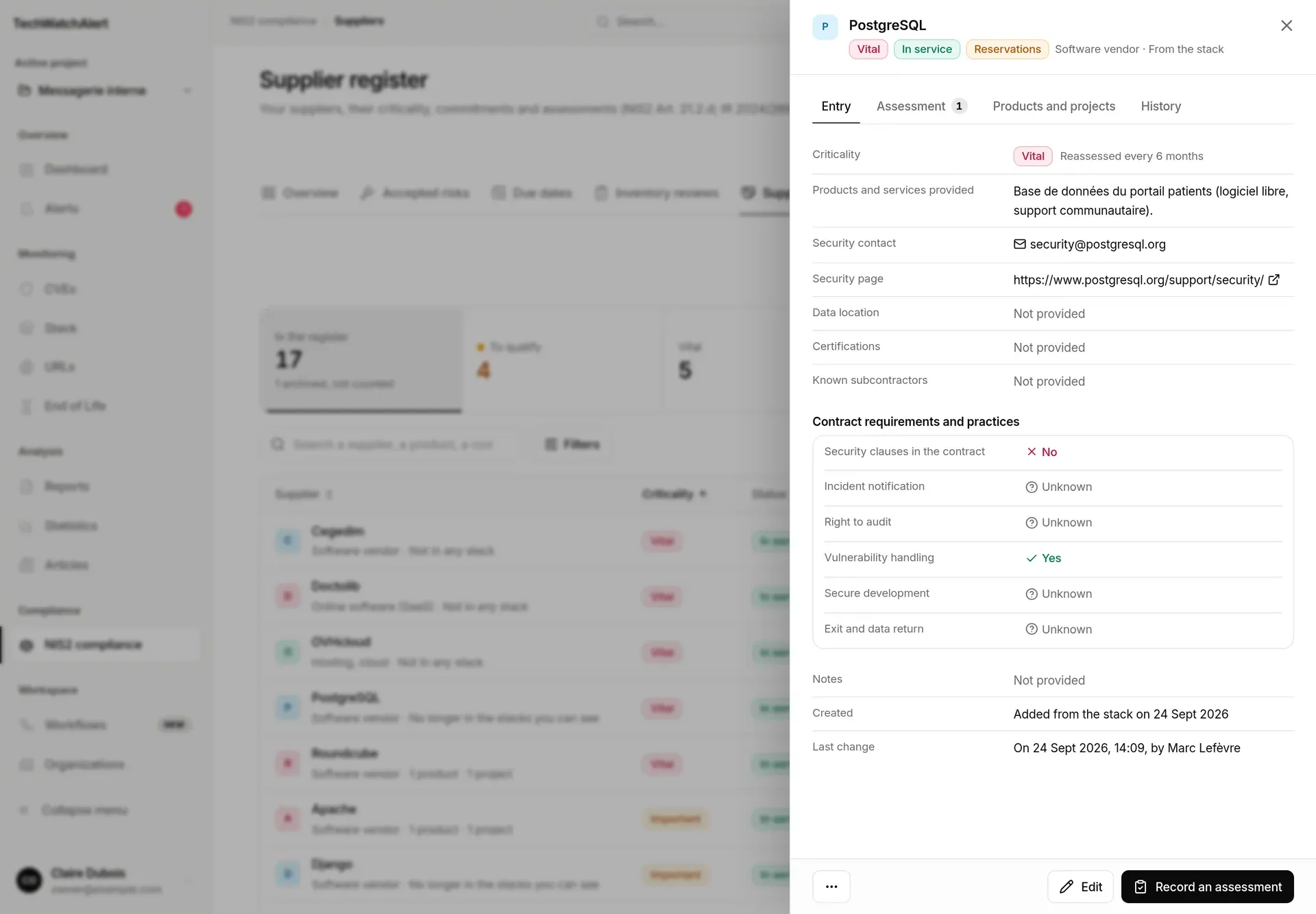
- Entry: criticality (and its rhythm), products and services provided, security contact, security page, data location, certifications, known subcontractors, contract requirements and practices (security clauses in the contract, incident notification, right to audit, vulnerability handling, secure development, exit and data return: Yes, No or Unknown), notes, creation and last change.
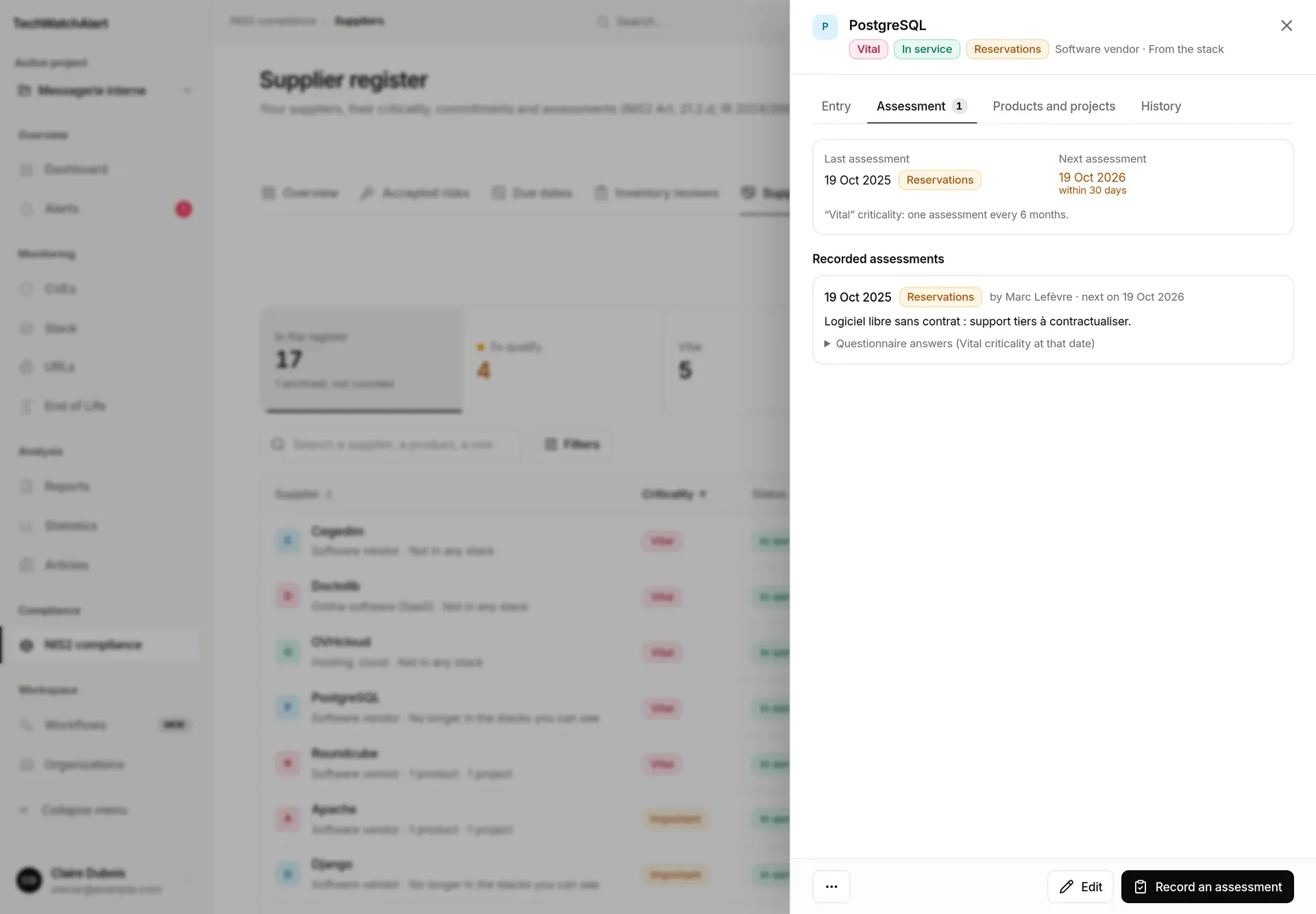
- Assessment: last assessment, rhythm, and recorded assessments.
- Products and projects: tracked products, the projects using them, open CVEs and end-of-life cycles (limited to the projects you can read).
- History: creation, edits (fields changed), assessments, archiving, merges.
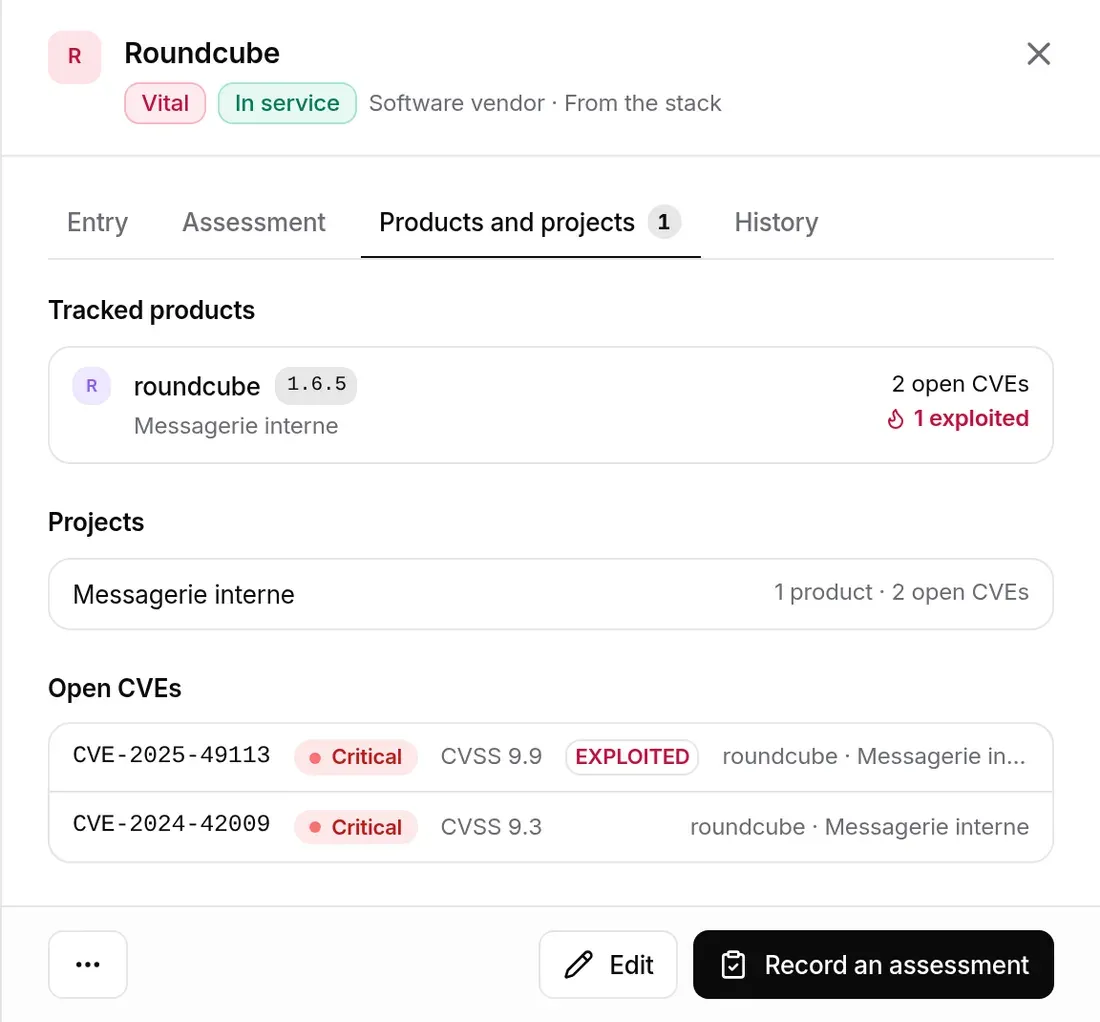
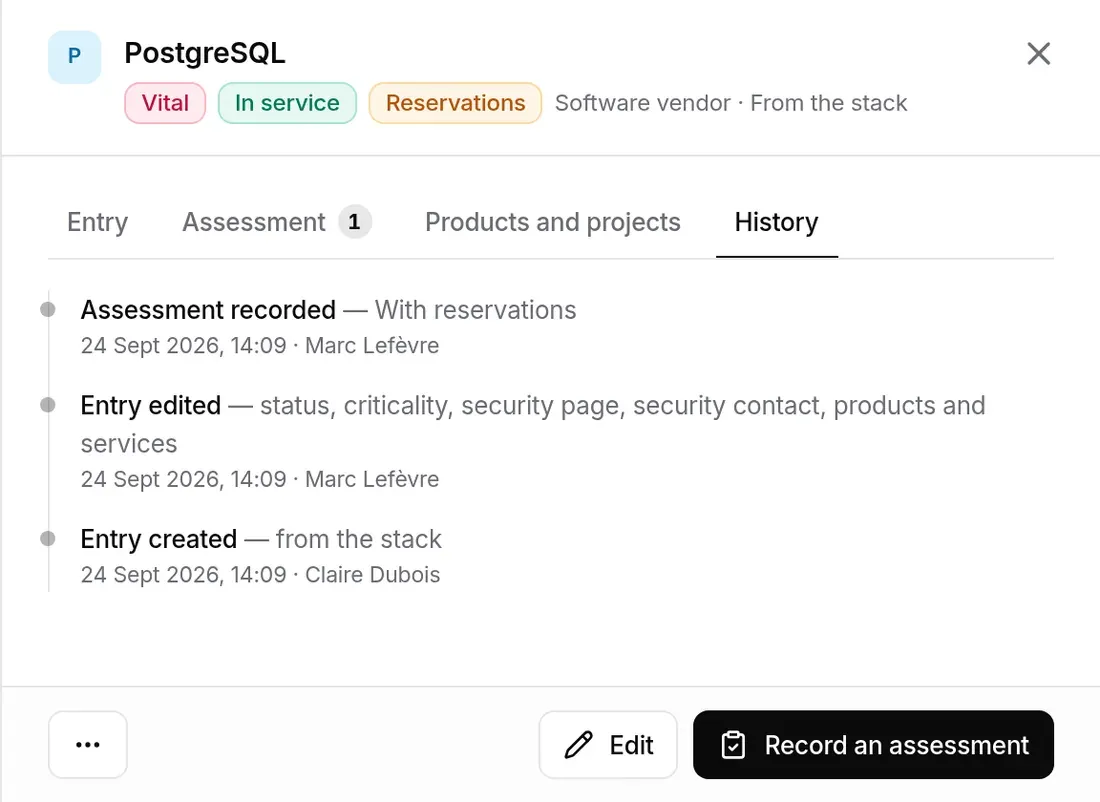
In the entry footer: Edit, Record an assessment, and the … menu (Merge a duplicate, Archive). An entry to qualify offers Mark as in service; an archived one, Restore.
Creating and editing an entry
Section titled “Creating and editing an entry”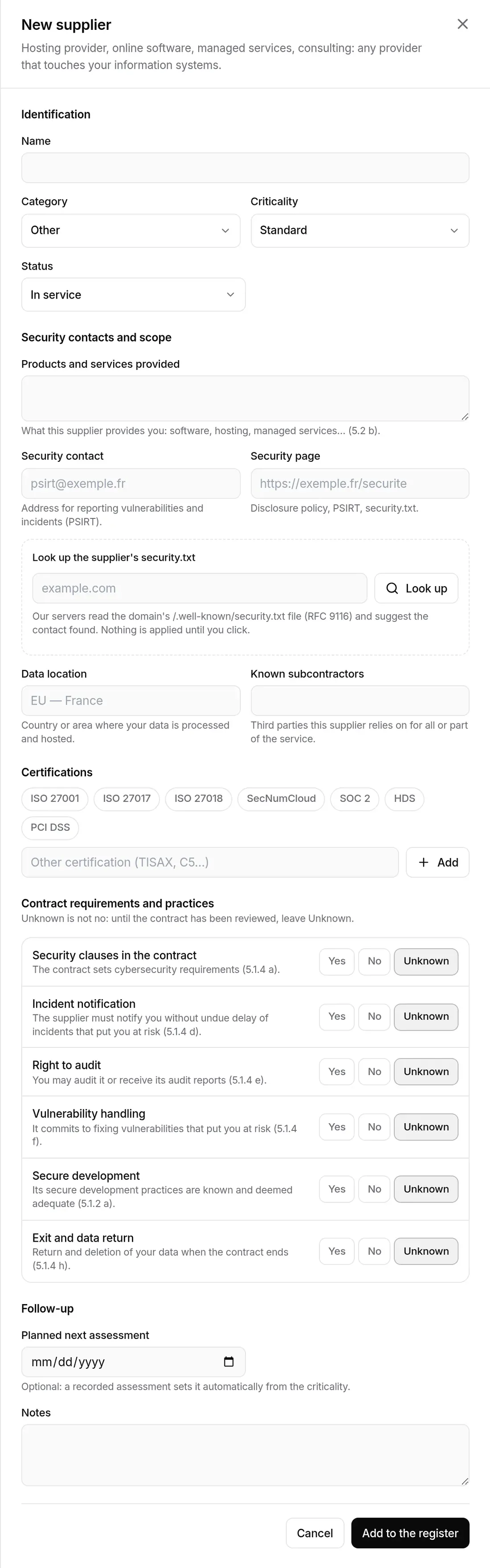
- Click New supplier.
- Identification: name (required), category, criticality (“Reassessed every N months”), status.
- Security contacts and scope: products and services provided, security contact (a valid email address), security page, data location, known subcontractors. Look up the supplier’s security.txt reads the
/.well-known/security.txtfile of the domain you enter and suggests the contact found: nothing is applied until you click. - Certifications: ISO 27001, ISO 27017, ISO 27018, SecNumCloud, SOC 2, HDS, PCI DSS, or Other certification.
- Contract requirements and practices: Yes, No or Unknown. “Unknown is not no: until the contract has been reviewed, leave Unknown.”
- Follow-up: planned next assessment (optional: a recorded assessment sets it), notes.
- Add to the register.
A name already in the register (archived included) is refused: the message offers See it in the register. Edit opens the same form in the entry.
Recording an assessment
Section titled “Recording an assessment”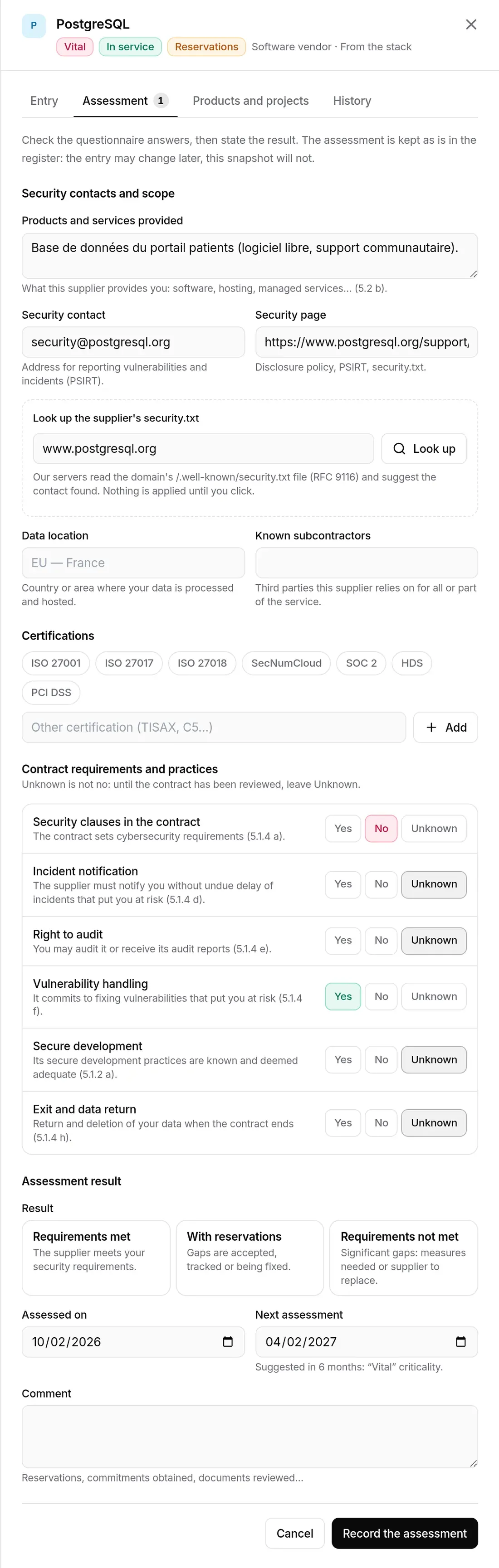
The questionnaire starts from the entry’s answers: check them, then choose the result (Requirements met, With reservations, Requirements not met), the Assessed on date (not in the future), the next assessment (suggested from the criticality, editable, necessarily after this one) and a comment. The assessment is kept as is in the register: the entry may change later, this snapshot will not.
Qualifying, archiving, merging
Section titled “Qualifying, archiving, merging”- Mark as in service: for a supplier added from the stack, once its category and criticality have been checked.
- Archive (optional reason): the supplier leaves the in-service register and the reminders; its entry, assessments and history remain available, and syncing will not recreate it. Restore brings it back into service.
- Merge a duplicate: the chosen entry is absorbed by the open one; its spellings are linked, its assessments kept, its information fills the empty fields.
When some stack vendors are not in the register yet, a line above the list says so, with a Sync button.
Exports
Section titled “Exports”Export offers the CSV register (the current selection, one row per supplier) and the PDF register (a document for your auditor, with a signature block). Both follow the current filters.
Permissions
Section titled “Permissions”Every organisation member can read the register. Creating, editing, assessing, archiving or merging is reserved for organisation administrators and the security lead; others see a “Read only” notice in the entry.
Available depending on your plan
Section titled “Available depending on your plan”The supplier register has its own plan feature, Suppliers (Pro and Business). Outside the plan, the entry carries a padlock and the page presents what it brings and the plan that opens it. A plan can include suppliers without frameworks: the register then opens without any covered project. See also: Subscription › pages, views and items.